All Heimgast features
What Heimgast does today, sorted by area. Everything here works in the web app; features only included in certain plans are marked.
Calendar and bookings
All units and all platforms in one calendar, plus your own bookings and prices.
Occupancy calendar
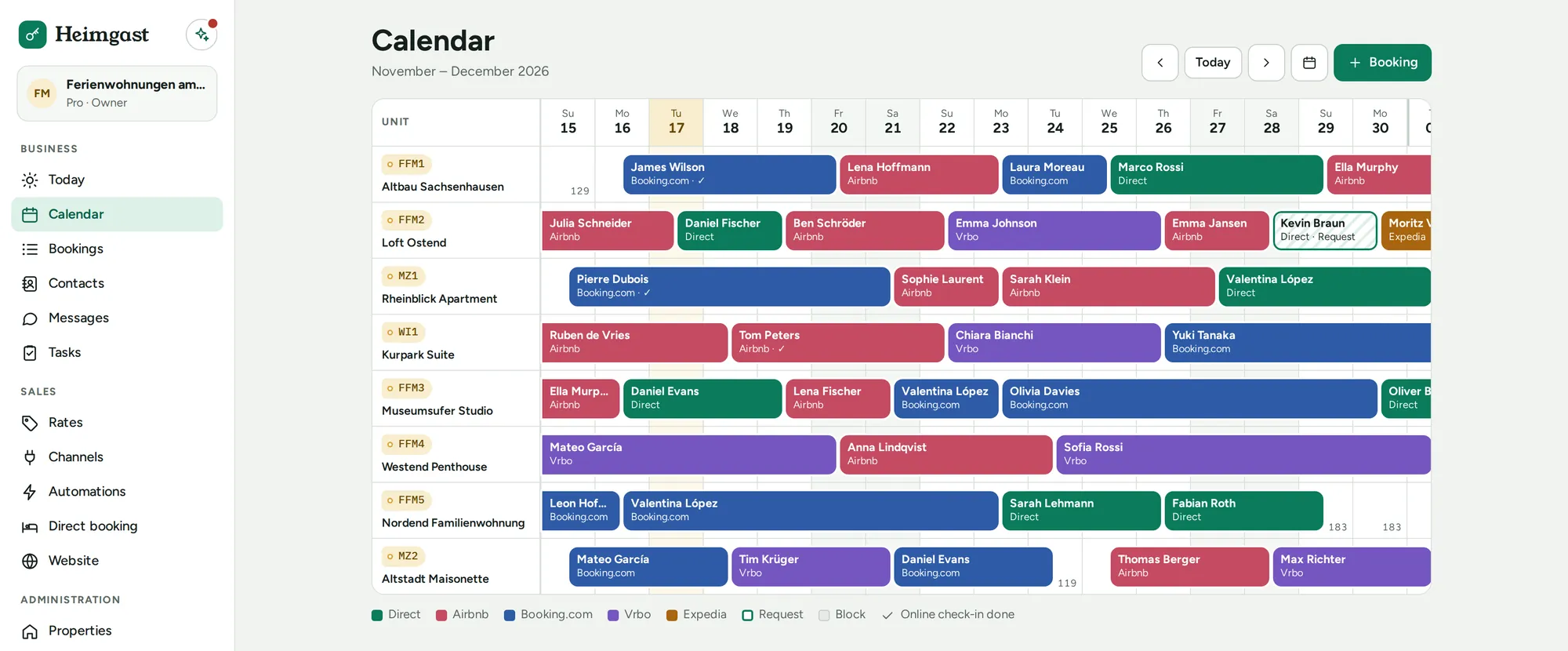
All units on one timeline, with bookings, blocks and final cleanings.
All platforms in one calendar
Bookings from Airbnb, Booking.com, Vrbo, FeWo-direkt, Holidu and Google Calendar flow automatically into one calendar. Each unit has its own calendar link for the platforms.
Prices and minimum stay
Seasons, daily prices and minimum stays in one place; Heimgast uses them to calculate the price for your direct bookings.
Daily overview
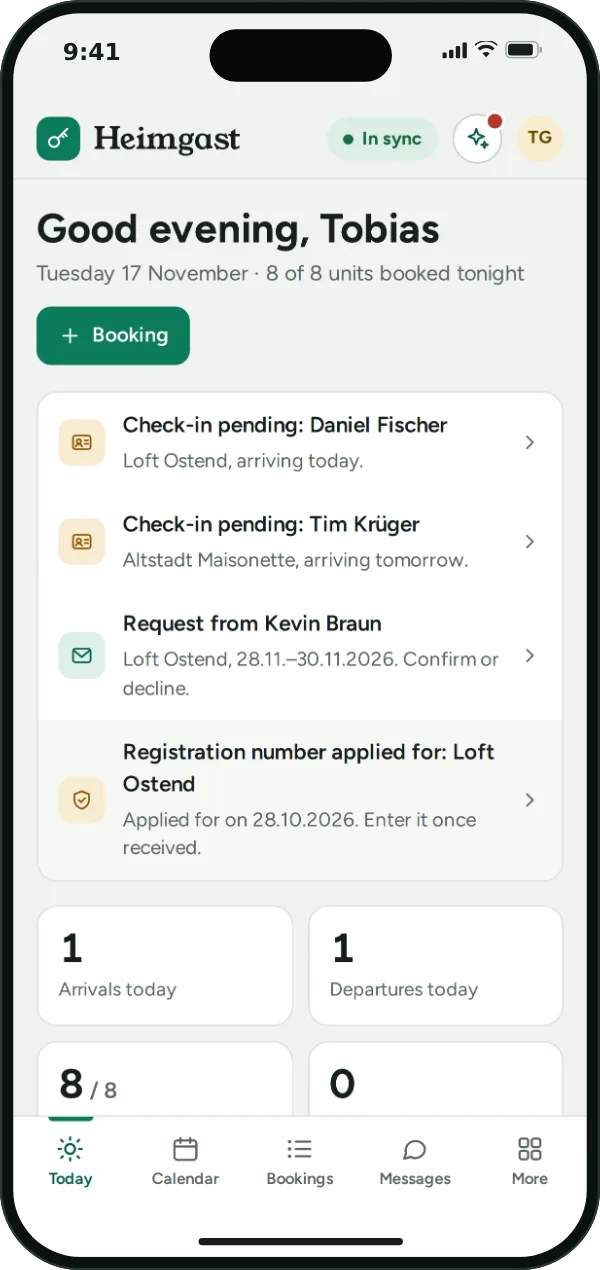
Arrivals, departures, open check-ins and the day's tasks at a glance.
Direct booking
Your own booking page and website on every plan: guests book directly with you, without a platform and without commission.
Your own booking page
A page for your properties in nine languages, without cookies or third-party scripts. Share the link directly or as a QR code.
Your own website
On request, your booking page becomes a website: home page, one page per property with up to twelve photos, frequently asked questions, contact details, legal notice and privacy policy. No cookies and no third-party scripts.
Designed in minutes
You choose the colour, cover image and texts; the preview shows every change for phone and computer. From Pro, the AI suggests the texts.
Widget for existing websites
If you already have a website, embed the booking with a code snippet.
Reviews from your direct guests
After their stay, direct guests leave a review via a personal link. Published reviews appear on your booking page and website – and, if you like, as a widget on your existing website – together with your replies.
Instant or with your confirmation
Bookings are confirmed instantly, or you confirm each reservation yourself. Without your response it expires after 24 hours, sooner for last-minute bookings, and the guest receives an email.
Prices from Heimgast
Guests see the total price from your seasons and daily prices, with final cleaning and tourist tax according to your settings.
Payment by bank transfer or on site
With a payment deadline and, if you wish, a deposit. Heimgast takes no commission.
Cancellation terms and house rules
You set both, and guests accept them before booking. They then receive a confirmation by email.
Instantly in the calendar
A direct booking appears instantly in the occupancy calendar and in the calendar link for the platforms.
Never to guests from platforms
References to your booking page or website are never sent to guests from platform bookings, because the platforms prohibit this.
Guests and communication
Guests who know everything before they arrive, and one inbox for your whole team.
Online check-in
Guests enter their details before arrival via a link, in nine languages. Heimgast automatically deletes the check-in data one year after departure.
Rental agreement in check-in
If you wish, guests sign your rental agreement during check-in; the PDF is then stored with the booking.
Digital guest guide
Directions, Wi-Fi, house rules and tips per property, with a QR code to put up. The door code only appears in the guest's personal link, from the arrival day to the departure day.
Messages by email
Templates with placeholders such as door code and Wi-Fi. Guest replies arrive in the inbox.
Automations
Up to 50 automatic messages with trigger, timing and conditions, for example by property, language or number of nights; with preview and test send.
Team inbox
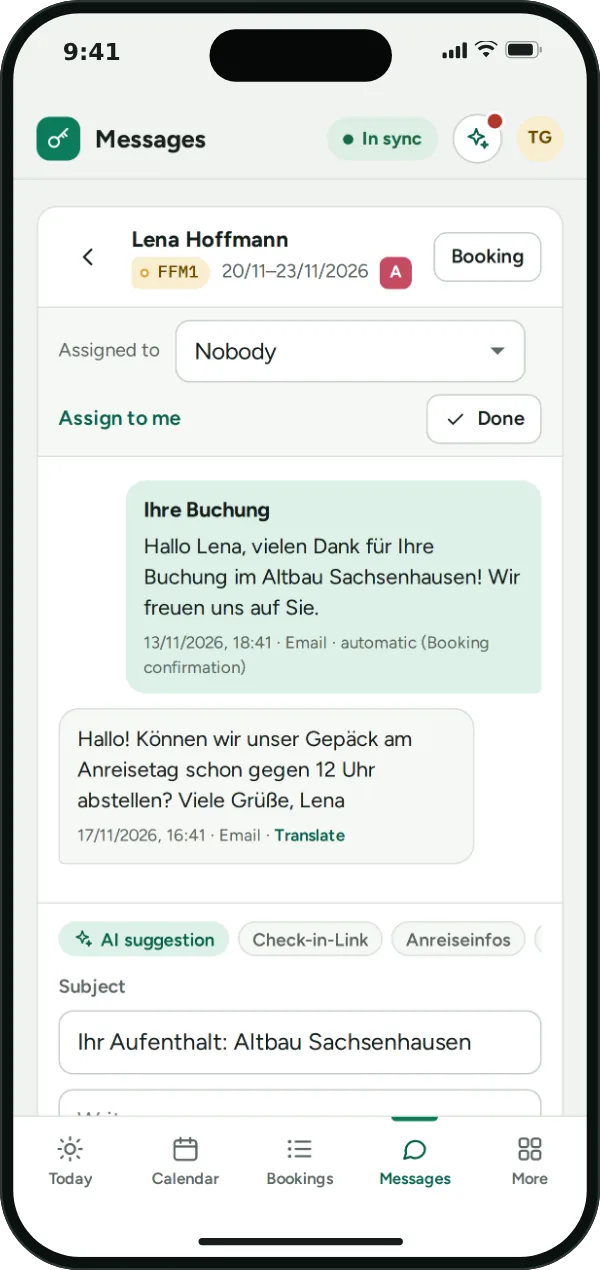
Assign conversations, mark them as done and filter them; the person responsible is notified.
Notice to guests from Pro
One message to all guests of a property or period, for example during building work in the house. Only about the stay, no advertising.
Contacts and guest profiles
Profiles are created automatically from bookings, with stays and notes. They are deleted after a period you can set, by default three years after the last stay.
Cleaning and team
Every booking schedules its cleaning, and everyone on the team sees what needs doing.
Automatic final cleaning
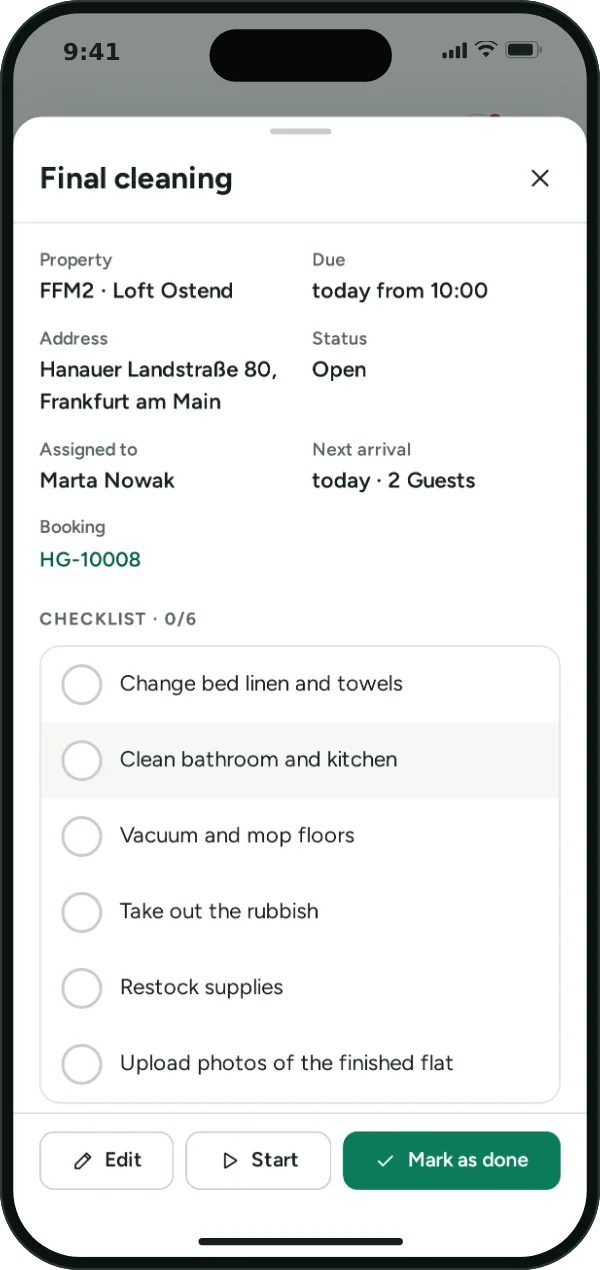
Every confirmed booking creates the final cleaning on the departure day, with the assigned cleaner.
Checklists
A checklist for every cleaning, to tick off on the phone.
Board and recurring tasks
Open, in progress, done; plus tasks that repeat, such as deep cleaning, filter changes or smoke detectors.
Damage reports with photos
Team and cleaners report damage and problems with up to eight photos; owners and admins are notified.
Roles and permissions
Owners, admins, team and cleaners each see what they need. Cleaners are free on every plan.
Nine languages
The app is available in German, English, Spanish, French, Italian, Dutch, Polish, Portuguese and Russian, switchable for each person.
Registration and obligations
Registration numbers, short-term rental limits, guest taxes per municipality and the new Airbnb rules under control.
Registration number per unit
Number and status per unit: not required, missing, applied for or registered. The occupancy calendar shows the status, and the daily overview reminds you of missing numbers.
Night limit per property
Permitted nights or weeks per calendar year or on a rolling basis, with suggestions for twelve cities including the official source. Alerts at 80 and 100%; if you wish, the remaining days are blocked for the platforms.
Registration form details
Guests fill in the details for the registration form during online check-in; you print the form for signing.
Guest taxes per municipality
Tourist tax, tourism levy or city tax per unit, per adult and night or as a percentage; monthly overview per municipality with CSV export.
Airbnb rules built in
For Airbnb bookings from 20 November 2026, Heimgast leaves out what Airbnb prohibits: affected messages are not sent, and online check-in is optional. The settings show all affected texts and a text for your listing. What changes (in German)
Licensed hotels per building
Buildings licensed as hotels and listed as hotels on Airbnb are marked per address or property; the exceptions for hotels apply there.
Invoices and finances
From the invoice to the guest to the summary for your tax adviser.
Invoices
Invoices with sequential numbers as PDF, cancellation invoices referencing the original invoice.
E-invoice
Every invoice also as a ZUGFeRD e-invoice: a PDF with an embedded XML file that accounting software can read.
Costs per property
Costs with receipts and recurrence, assets with depreciation and loans with interest share.
Reports
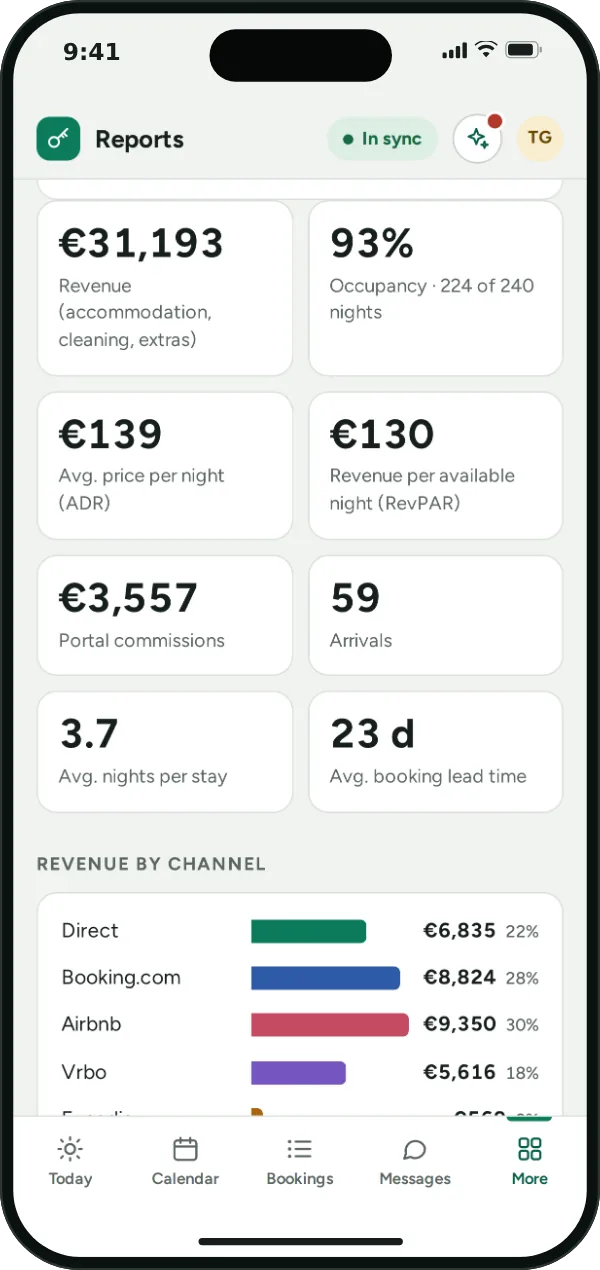
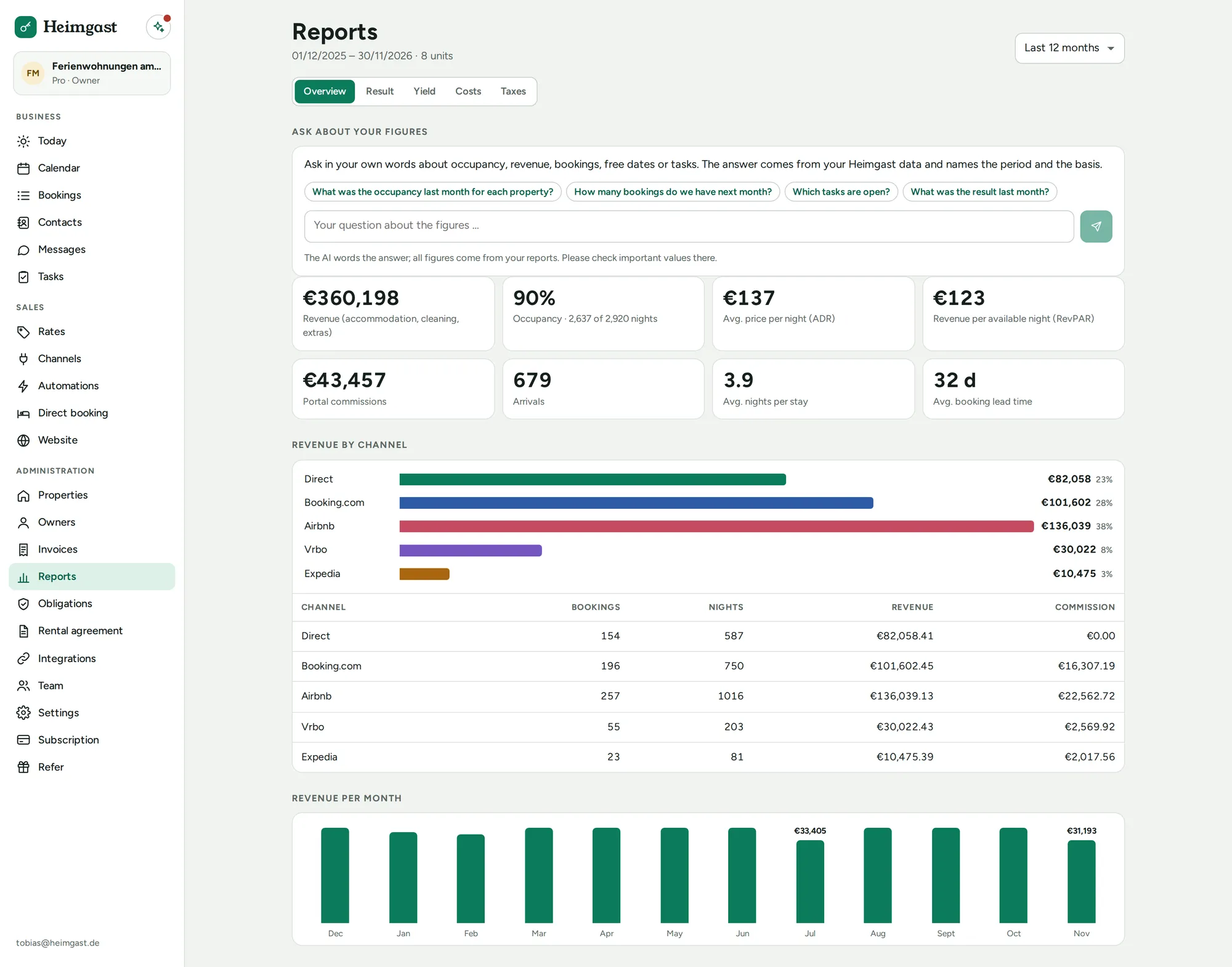
Nights, occupancy, revenue, ADR and RevPAR per month and property.
Profit and taxes from Pro
Profit per property with year-on-year comparison, VAT per month or quarter, EÜR mapping (German cash-basis accounts) and asset register; as CSV and PDF for your tax adviser.
Accounting export from Pro
Bookings and invoices as CSV for import into your accounting, for example into DATEV.
For property managers
What you need when you rent out apartments on behalf of owners.
Owner statements Business
Statement per owner and month: commission, cleaning, guest taxes and costs with receipts according to your rules, as PDF and by email, with a SEPA file for payouts.
Owner portal Business
Every owner gets a personal link: occupancy of their apartments without guest data, their statements as PDF and personal use entered by themselves – no login and no back-and-forth with you.
Open API Business
API with webhooks for bookings, check-ins, tasks and invoices, for example for your own analyses or your website.
Connect Claude and ChatGPT Business
Query bookings, occupancy and figures directly in Claude or ChatGPT: enter the address, sign in to Heimgast and allow access, no key needed. You decide on the business and the permissions and can disconnect at any time; whatever the assistant reads is then processed by its provider.
Unlimited users Business
For teams with an office, caretakers and cleaners.
AI processed in the EU
AI that takes work off your hands and leaves the decision to you. Processing takes place in the EU.
Guest AI from Pro
Answers your guests' questions from your AI knowledge: as a draft you review, or automatically. Complaints, payments, cancellations and emergencies always go to you; automatic replies are labelled as AI replies.
Help assistant
Answers questions about the app, on every plan.
Reply suggestions from Pro
Suggested replies to guests based on the knowledge you have stored; you review and send.
Translation from Pro
Translate guest messages in the inbox into your language.
Receipt reading from Pro
Upload a photo or PDF of a receipt; the AI pre-fills date, issuer, amounts and tax rate, and nothing is saved until you confirm.
Text drafts from Pro
Drafts for your guest guide and listing text that you adapt.
Questions about your numbers from Pro
Ask questions about revenue and occupancy in your own words; the answers come from the same analyses as the reports, with period and source.
Switching, data and access
Easy to switch, safely stored, works everywhere.
Import via CSV
Import properties and bookings once from any software, with a preview and without duplicates; imported bookings do not send any messages.
Personal setup
We set up Heimgast together with you, by video in about 30 minutes.
Servers in Frankfurt am Main
Your data is stored in Germany.
In the browser and as an app
Heimgast runs in the browser on computer, tablet and phone. The app is available for iPhone on the App Store and for Android on Google Play.
In preparation
With the direct connection to the platforms that we are preparing, prices, guest details and messages from Airbnb and Booking.com will be added automatically.